


How to have a Planner for Begginers
Updated: Jun 8, 2021

For the second month of the year, I want to try new things and one of those things is to have a planner especially in today's that I am a college student and stressing out about what am I gonna do first because I am always loaded until I discover this planner that I always see but I don't care about before. When I started to have my monthly agenda, it makes me satisfied, and want to do more of it.
The reason why you open this post is maybe that you are new to the planner community or you just wanted to have but you are thinking about if it is good or not. So for today's blog, I am gonna share some tips with you on how to plan your months, weeks, and days. It is very simple and basic and I personally use this strategy.
Tip 1: Planner
First, you need to have a planner. I know that buying a planner these days are not that easy especially if you are a student and have not the money to buy a planner so, I recommend one thing. Find a paper on your home (a scratch paper or your old calendar will do.)
Tip 2: Planning Format
It is about will be the content of your planner. It is about your plans on doing your tasks as a student? Is it a memory planner format that is more like a scrapbook or academic planner format which is perfect for students? Is It an inspirational format or personality format? What would it be?
Personally, I use the academic planner format with a little bit of personal format too just to see how I am that day. On the back page of your old calendar or scratch paper, make two agendas: the first is for your monthly agenda, and the second is for your weekly agenda. I’ll give you some example of how I do these three:
Monthly Agenda

This is my important plan for the month. Remember that if you are doing your monthly agenda, don’t write everything. Don’t be detailed about it. Write the important task that you need to do for the week. Do the color-coding so that you can easily know the difference between those tasks. You can also add notes after the table you made for more information on those tasks.
Weekly Agenda
Next is your weekly agenda. The weekly agenda is a detailed version of your monthly agenda. Remember that even if it is detailed, don’t put everything on it if it makes sense. A weekly agenda is just an added information about what you wrote on your monthly agenda. For more understanding, try to look at my agendas for this week:

In the weekly agenda, you can put some notes too. On your notes, you can put your due dates or anything that you want to see easily for that specific week. For your prioritized task list, write your goals for the week (it can be your personal goal or your academic goal or you can do both.) People to meet/call is just an option if you will put it or not.
Note: You can start your weekly agenda by Sunday but for me, I start my week on Monday. Also, you can do a bullet journal in making your weekly agenda or by to-do list thing.
Tip 3: Use your planner to organize your life
Big goal
Set your big goal for the day. Part of this goal is the following: Eat, rest and sleep. Those things are the most significant assignments you need to accomplish every day. Try not to drive yourself to your breaking point.
Listing
Using a scratch pad, list everything you think of that you need to do for a month and week then divide those tasks into dates. After you have done these things get your planner and list everything you write accordingly.
Action
Don't simply design and compose, make a move on it. You don't feel overwhelmed and inspired if you didn't take an action with what everything you listed.
Be Productive
Being productive is diverse with being occupied. Don't say you're busy, instead go out and have fun! Be productive. Don't just sit and work every day. Make time to rest and have a day off. We all really need that.
Tip 4: Sticking with plans
If you’ll be doing these tips daily, everything will be easier for you because you have planned ahead.
Also, to be productive, you need to take a rest and eat because you can’t do things that you should do if you’re hungry or tired. Take enough rest and sleep so that you are energized the next day. Remember that resting and eating are different. Although you can do both at the same time, you’re not healthy. Especially if you’re currently a student who always in front of your laptop, cellphone, or tablet, you need to have time to rest your eyes. Go outside of your house and see some green grass for about 30 minutes to 1 hour a day.
Wait, what if we don’t have a paper even scratch paper at home? Or writing is not our forte but we want to be productive every day, what we will gonna do?
Writing my agendas works for me but I also understand if it does not work for you so for this blog, I will share the apps I personally use to do my agendas:
1. Pre-installed Calendar/Google Calendar
The pre-installed calendar will help you to make monthly, weekly, and daily tasks. The advantage of this is you don’t need to download other apps just to have agendas, also your phone storage is not immediately fulled.

But sometimes, those features you’re looking for or you need in a pre-installed app are nothing and it annoys me because it is just added to your phone storage and you can’t uninstall another pre-installed app. So you have no choice to install an application that is perfect for what you are needed so, if you are looking for a perfect application, try Google calendar. The Google calendar can schedule and manage your events. You can create reminders too, you can access your tasks and notes easily and the good thing about this is, it is customizable and you can easily share your agendas with your friends and groups. Especially if you are making a research paper or thesis paper, you can share with your group mates the tasks and due dates you need to accomplish.

2. Pre-installed Notepad/Microsoft To Do
For me, this is one of the pre-installed apps that are very useful and has many features. Maybe because they updated and innovate new phones that’s why but anyways, you can do your daily agenda here because it has a new feature of the checklist but I think this feature is not new, sorry I’m a late bloomer.

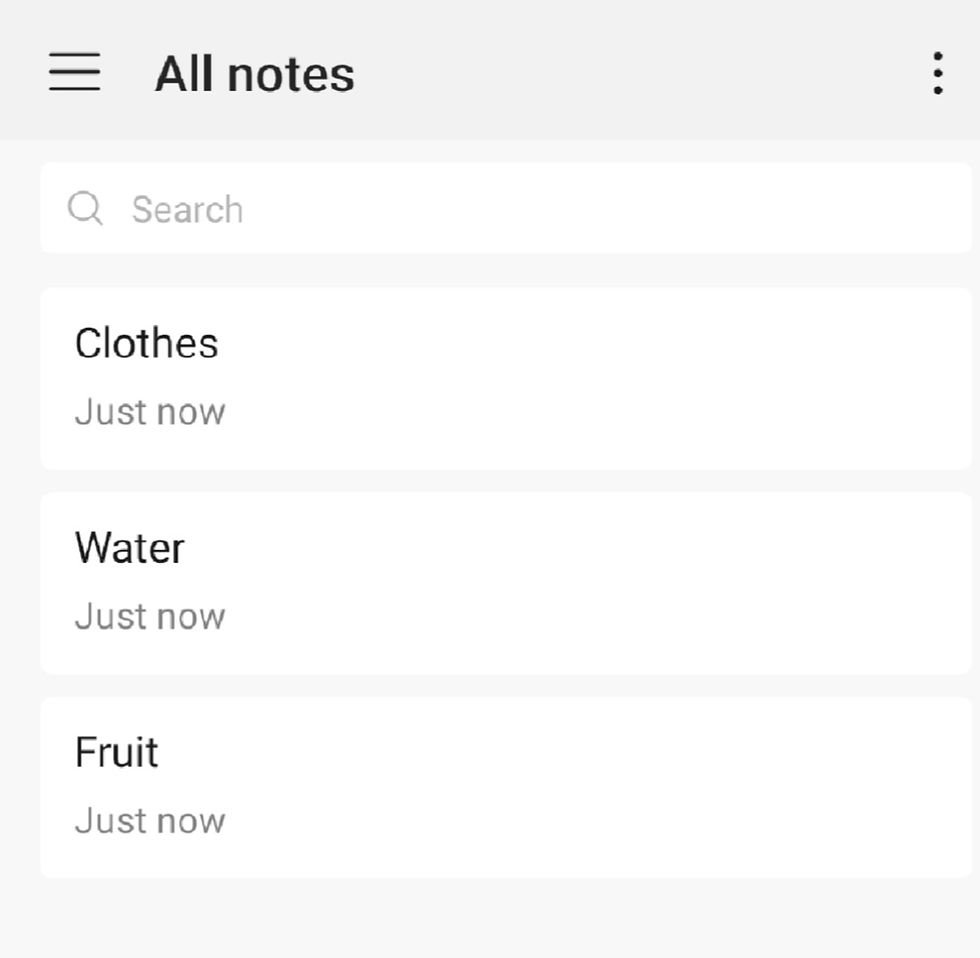
Anyways, if your pre-installed Notepad is not useful, I recommend Microsoft To-Do for you. Same as your pre-installed app, it has a lot of features that can also motivate you to finish your task more because once you are finished on that specific task, there’s music will appear and it is so satisfying. Wait I’m so exaggerated with that, it is not music, it’s more on an effect. It also reminds you if that specific task is overdue.
The Microsoft To-Do is free for all. You just need to have an account on Microsoft to be able to use this app.

Tip 5: Trackers
Instead of what I wrote above, try to make a habit tracker and mood tracker too to track your health for the month it will help you to improve your wellness for the following month.

Have you learned something from me today? Do you have your ways on how you do your planner? Don’t be shy and tell us your ways in the comment section below! I love to hear that!
Nhlmr


Comments